Play, built for however your child accesses a screen.
Browser games for kids who use eye gaze, a joystick, a head mouse, or an adapted cursor. These aren't games with accessibility bolted on at the end. They're built from the first line of code for how your child actually plays. Free to play while the beta runs.
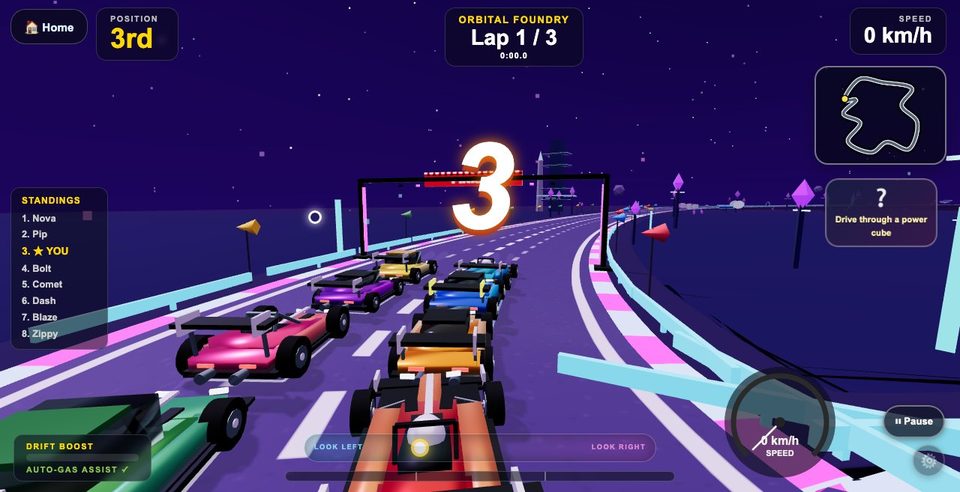 Apex Atlas Rally, from the Adventure & Exploration games
Everything runs in a web browser.
Nothing to install, no account required to start, and no special hardware beyond whatever the child already uses to control a cursor.
Kids Game Zone
A growing library of games built from the ground up for adapted access: bubble popping, fishing, sports, stories, music making, driving, and more. Every game is playable by hovering instead of clicking, so it works the same whether a child is using an eye-gaze system, a joystick, a head mouse, or a finger.
Play now, free during the beta →Gaze Painter
A painting app controlled by where a child looks, using an ordinary webcam. No eye-gaze hardware required. It calibrates to the camera already in the laptop or tablet.
Try Gaze Painter →Most games are built for a mouse or a quick tap.
Play is one of the most natural ways a child builds visual tracking, decision-making, cause-and-effect understanding, and confidence. But when a game assumes fast reflexes and a mouse, a child using eye gaze, a joystick, or an adapted cursor gets left out of something every other kid gets to do without thinking twice. We wanted to change that.
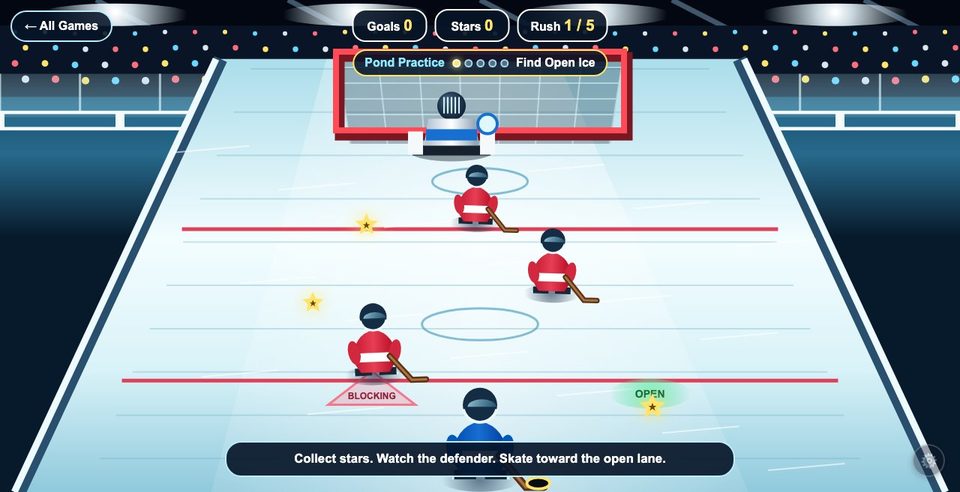 Ice Breakaway. Full hockey action, no fast reflexes required.
Every screenshot on this site is a real moment from the actual games, not concept art or a rendering.
Most games assume one way to play
Fast reflexes and tiny mouse-only targets work for some kids, but not all of them.
A retrofit only goes so far
An accessibility patch added on afterward still feels like it wasn't built with your child in mind.
So we started from scratch
Every game here starts from the access method first. It's designed for it, not adjusted for it later.
Built for hover, not click.
The whole site runs on one shared accessibility layer, so every setting your child needs follows them into every game.
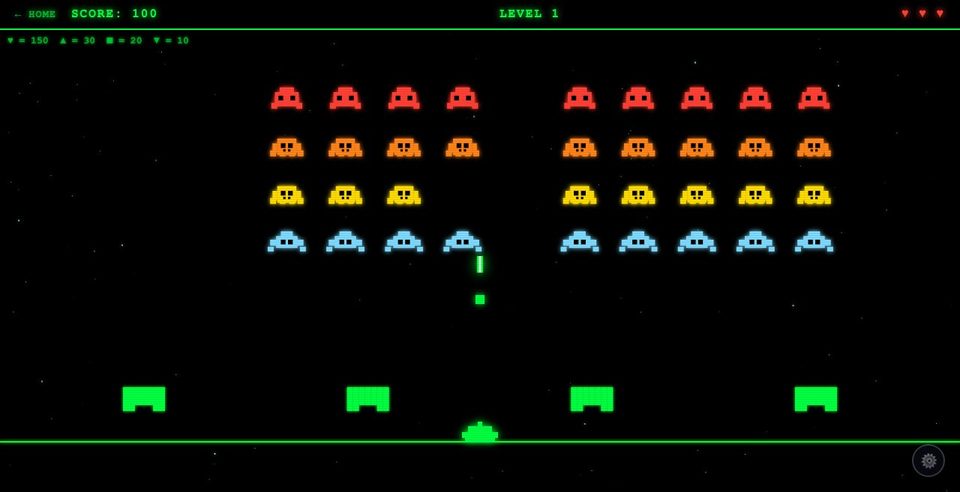 Space Blaster. Aim by hovering, fire by holding still.
Dwell-to-select
Hold your gaze or cursor on something instead of clicking. It's the same pattern behind most AAC and eye-gaze devices, and a real click always still works for anyone who can make one.
Real challenge, graded to fit
Some games are gentle and no-fail. Others have real stakes: a strike to land, a level to beat, a decision that matters. Kids want to get better at something, not just survive it.
Settings that travel
Reduced motion, high contrast, target size, and gaze ring. Set them once, and every game remembers.
"I kept watching kids get shut out of the one thing every other kid in the room got to do without thinking about it: just play. So I started building games where the access method comes first. No child should have to fight the controls before they get to have fun."Occupational therapist and founder, AdaptiveTech OT
Not another drill library.
Most accessible-game sites are short, repeated cause-and-effect drills. Useful, but rarely fun for long. We started from a different question: what if the accessible version was also just a really good game?
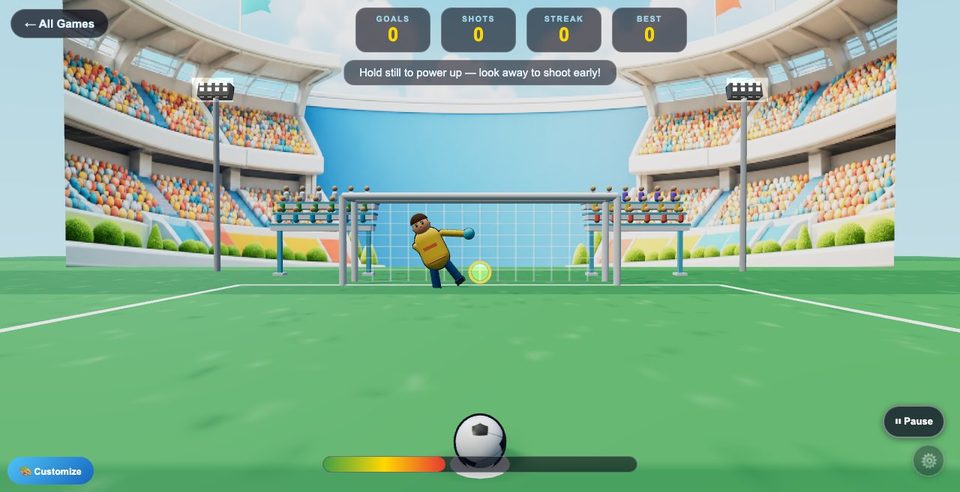 Soccer Shootout. A real penalty shoot-out, win or miss.
Real games, start to finish
A full sports arcade, a branching mystery story, a living aquarium. These are games kids choose to keep playing.
Free while in beta
No countdown, no procurement process. Open a browser and play today. A paid membership is planned for later, but right now we'd rather have your feedback than your money.
Built on a real clinical framework
Every category targets the operational, social, and psychosocial competence clinicians already work toward.
A place to explore, not a data-entry task.
A lot of "accessible learning" software treats a session as a data-collection exercise a child has to sit through. We built this the other way around. Play comes first, and if something useful gets recorded along the way, that's a bonus, not the point.
Room to just explore
Nine very different kinds of play, from sports and stories to music, a pet to raise, and real constellations to find. Your child can figure out what they actually enjoy, not just complete an assigned activity.
Data, quietly, in the background
The Growth Report is there for the moments it helps a therapist. It was never the reason to open the game in the first place.
Built for a real exposure gap
Kids who use alternative access often get fewer chances to try new hobbies and leisure activities than their peers. Every category here is a chance to close that gap a little.
Nine kinds of play, all built the same careful way.
From first-time cause-and-effect to full sports arcade action, every category is tuned for a different kind of skill, and every game inside it is scaled to fit.
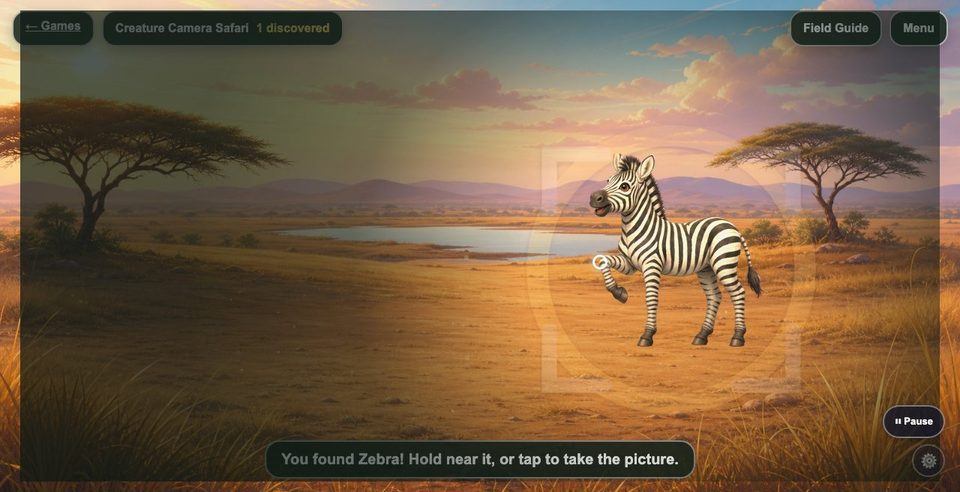
Starting Simple
No goals, no losing. A gentle first try with a new access method.
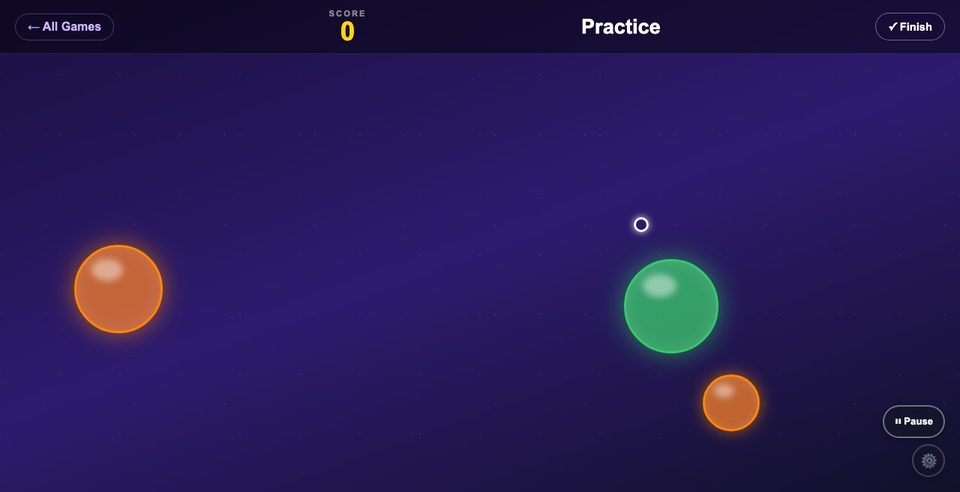
Targeting
Spot it, hold it, confirm it. The foundation of any AAC or accessible device.
Adventure & Exploration
Smooth, steady control through worlds worth exploring.
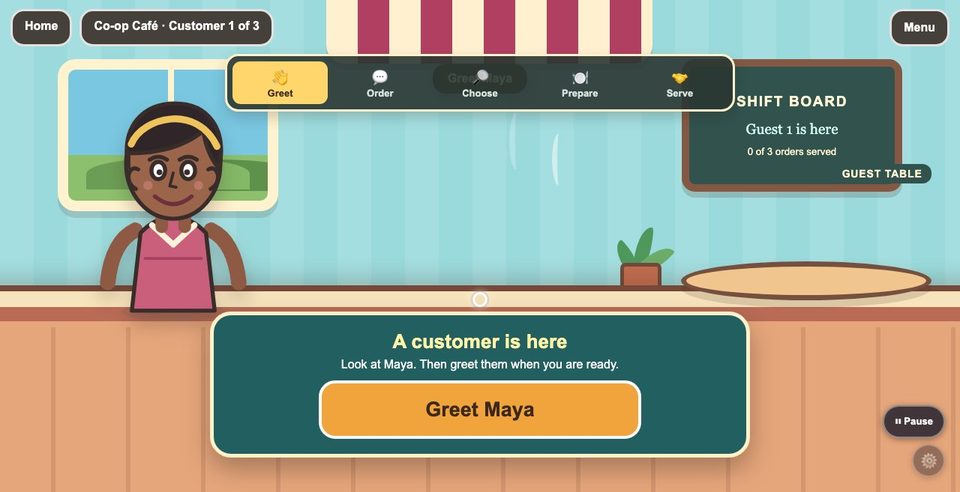
Choice-Making
Real decisions, made by looking and selecting, just like a communication device.
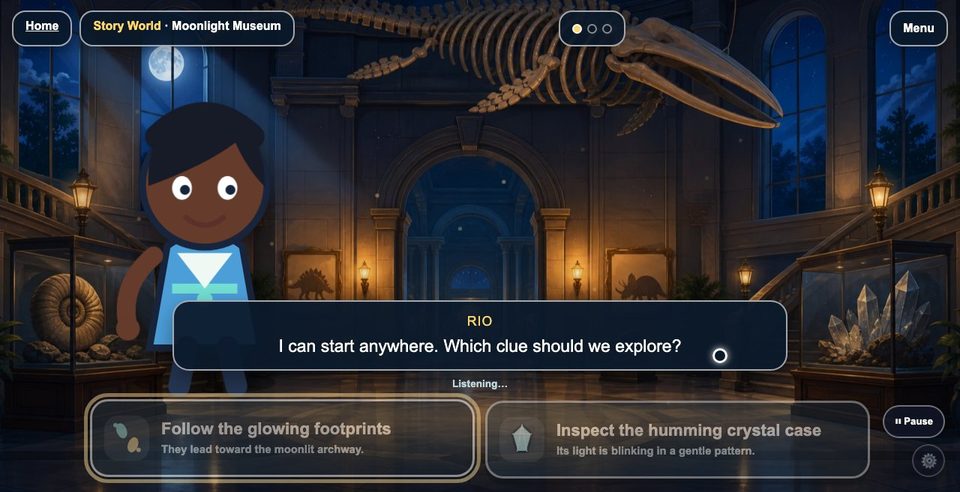
Puzzles
Stories, sequencing, and memory to work through at your own pace.
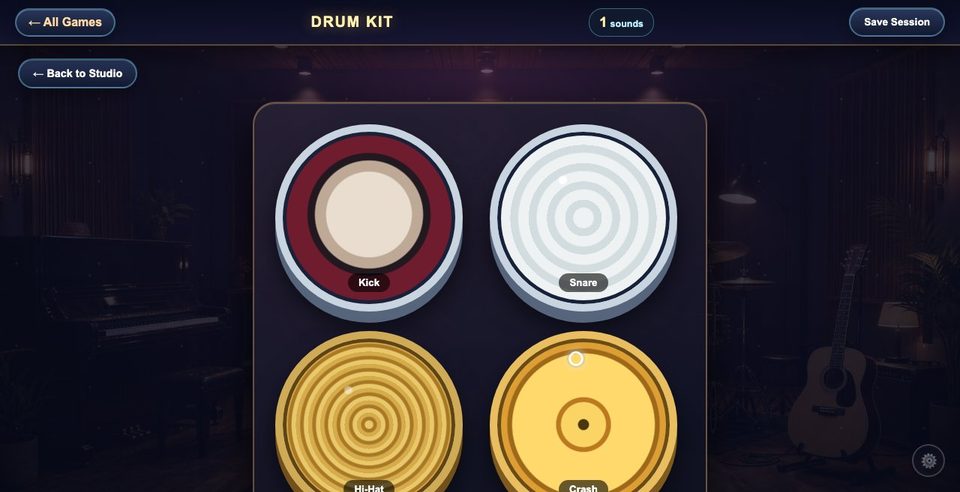
Creative
Open-ended music and art. No wrong answers, no score.
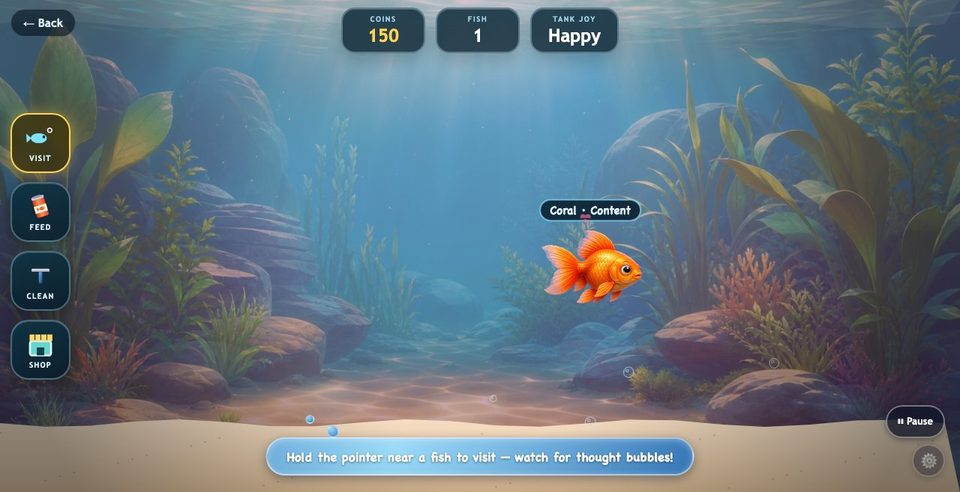
Nurture & Care
Slower, ongoing activities with a sense of progress every visit.
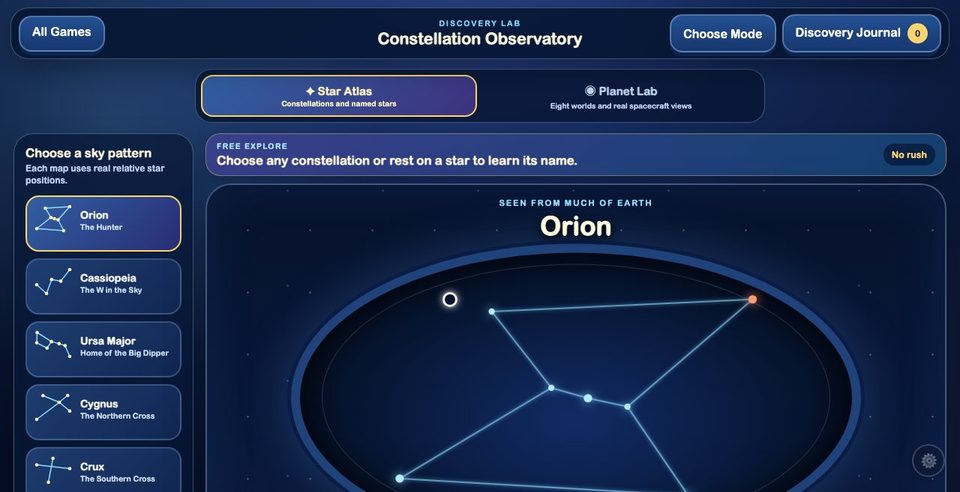
Real-World Discovery
Explore real subjects like the sky, animals, and places, through curiosity rather than a quiz.
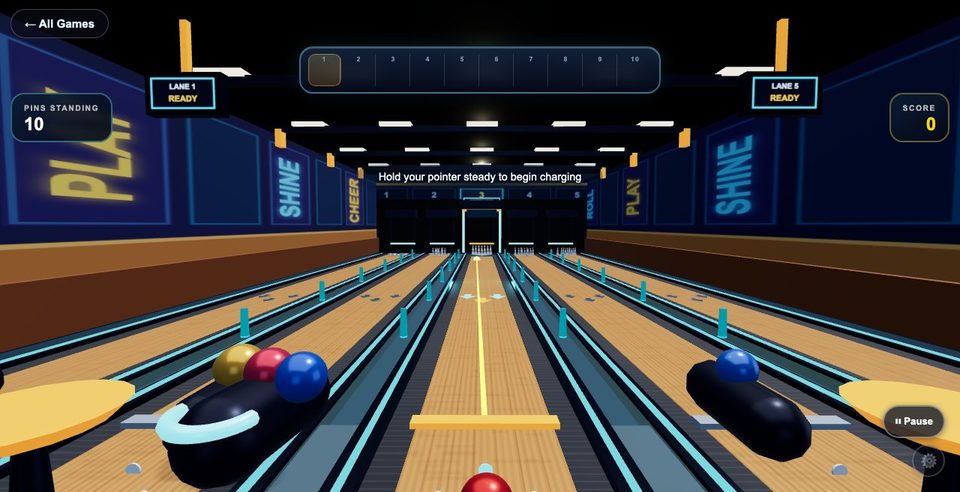
Sports
Full arcade action with aim-and-hold controls. No fast reflexes required.
If it moves a cursor, it works.
- Eye gaze
- Dwell / hold-to-select
- Joystick mouse
- Head mouse
- Touchscreen
- Trackball
- Standard mouse
A note on switch access: scanning-style switch access is not supported yet. It is something we want to do properly rather than half-way, so it isn't offered until it has been tested with real users.
Try it with a child today.
Nothing to install, nothing to sign up for. Open it in a browser and go.